High-speed fibre connections often arrive as PPPoE (especially in ISP environments). Many businesses upgrade to 1Gbps, 2Gbps or 5 Gbps with Fibre services then discover their firewall can’t reach line rate on downloads, even though the circuit is fine.
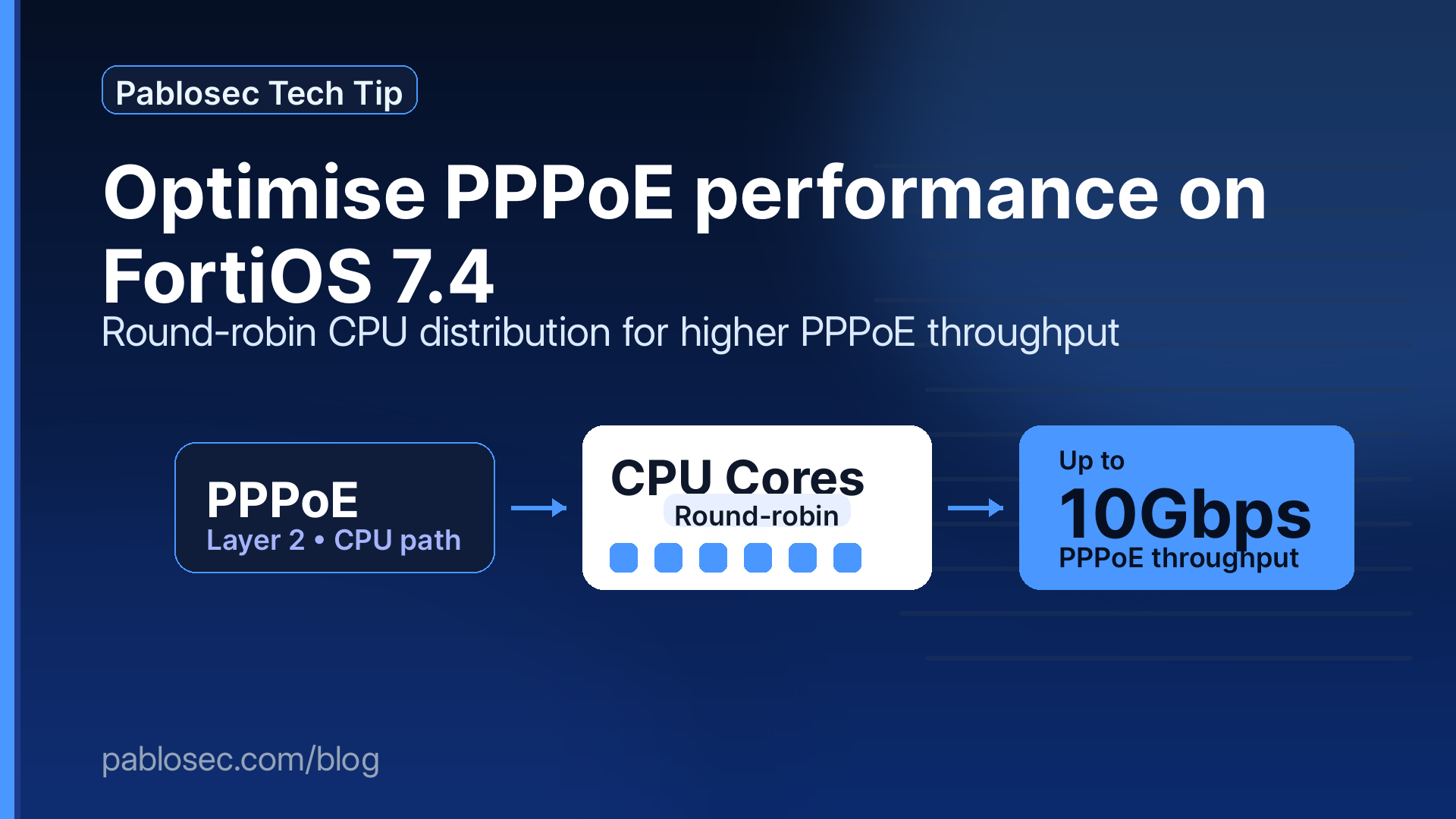
If you’re running FortiOS 7.4.0+, there’s an optional optimization that can help: affinity-packet-redistribution with round-robin on the physical PPPoE interface.
This is not marketing magic. It’s a practical way to use all CPU cores for PPPoE packet processing especially when one core is doing all the work.
The simple reason PPPoE can be slow: it’s Layer-2 and CPU-bound
PPPoE is a Layer-2 encapsulation protocol. On many FortiGate platforms, PPPoE session frames cannot be hardware accelerated by the ASIC / NP (network processor) in the same way “plain” Ethernet/IP traffic can.
What that means in real life:
-
Traffic traversing the PPPoE WAN link typically won’t be offloaded
-
Packets are processed by the FortiGate CPU only
-
Your throughput becomes limited by:
-
CPU performance (especially single-thread performance), and
-
how effectively the workload is distributed across multiple CPU cores
-
So if you’re trying to push multi-gig over PPPoE, performance depends less on the ISP circuit and more on CPU capacity + core utilisation.
The hidden bottleneck: one core gets hammered
Even with multiple cores available, PPPoE traffic can end up concentrated on a single CPU core.
Why?
Most load distribution mechanisms rely on hashing traffic based on headers (L2/L3/L4). But with PPPoE, the device may not be able to hash on the inner IP headers in the fast path the way it normally would. And because PPPoE downlink traffic commonly looks like:
modem MAC → FortiGate interface MAC (a single “L2 pair”)
…ingress packets may be steered to one CPU core far more than the others.
Symptoms you’ll recognise:
-
The circuit is “up”
-
Speed tests don’t reach expected downlink
-
One CPU core is much higher than the rest during downloads
Why the “link down” mindset is outdated (brownouts matter)
WAN issues are rarely clean outages. More often they’re brownouts:
-
Teams/VoIP becomes robotic
-
SaaS loads slowly
-
Remote desktop lags
-
Monitoring says “link up” and everyone is confused
A good SD-WAN design handles brownouts. But PPPoE performance issues can also look like brownouts: the link is technically up, but the device can’t process packets fast enough—so user experience suffers.
FortiOS 7.4’s optional fix: Affinity Packet Redistribution (Round-Robin)
Starting in FortiOS 7.4.0+, you can change how packets received on an interface are distributed to CPUs:
-
Default: hash-based distribution
-
Optional: round-robin distribution
Round-robin can significantly improve PPPoE downlink performance by spreading work more evenly across all available cores—especially when PPPoE traffic is “sticking” to a single core.
When this optimization is worth doing
This tuning is most useful when:
✅ You have a high-speed PPPoE WAN (1G+ and beyond)
✅ You see one hot core during downloads
✅ You cannot reach expected downlink speeds
✅ You’re using a platform where CPU limits are more visible (often SoC/ARM-based models)
On larger x86 platforms (commonly FG-200 and above), PPPoE can still be CPU-limited, but the improvement depends on your baseline CPU headroom and enabled features.
Important warning: packet re-ordering risk
Round-robin distribution can cause ingress packet re-ordering. Some applications/protocols can be sensitive to that.
Best practices:
-
Apply it only on the physical port that underlies PPPoE
-
Ideally, that port should be dedicated to PPPoE
-
Avoid enabling it on interfaces that are:
-
carrying multiple VLANs,
-
part of an aggregate/trunk,
-
shared with other critical traffic patterns
-
Step-by-step: Enable round-robin on the PPPoE physical interface (FortiOS 7.4.0+)
Identify the physical interface where PPPoE is running (example: x2) and apply:
Notes
-
affinity-cpumask "ff"commonly means “use all CPUs” (mask depends on model/core count). -
You only need one entry per interface you’re tuning.
How to confirm you’re CPU-limited (quick checks)
1) Confirm CPU architecture
If you see ARM/SoC, PPPoE CPU-only processing often becomes noticeable earlier at high speeds.
2) Observe per-core load under download traffic
Run a speed test or large file download and check:
If you see:
-
one core very high, others low → classic “distribution bottleneck”
Round-robin is a strong candidate.
If you see:
-
all cores high → you may simply be out of CPU headroom (feature set / appliance sizing).
What “up to 10Gbps” really depends on
This optimization does not enable ASIC/NP offload for PPPoE. It improves how CPU work is distributed.
Actual achievable performance depends on:
-
FortiGate model and CPU capability
-
Enabled security features (IPS, AV, SSL inspection, app control, etc.)
-
Number of sessions and traffic profile
-
Interface speeds and internal architecture
Rule of thumb:
-
If one core is the limiter, round-robin can unlock major gains
-
If overall CPU is the limiter, you’ll need:
-
tuning (feature placement/policy optimisation),
-
or a higher-capacity model,
-
or architectural changes (e.g., different termination approach depending on ISP constraints)
-
Rollback plan (if you observe sensitivity)
If any application behaves oddly after enabling round-robin, revert quickly:
(Or remove the entry entirely if it’s only used for that interface.)
Final thought
PPPoE performance issues are often misunderstood. The circuit isn’t the problem PPPoE’s Layer-2 encapsulation and lack of hardware offload makes it a CPU problem. And if PPPoE processing lands on a single core, you get a hard ceiling no matter how fast the ISP service is.
FortiOS 7.4’s affinity-packet-redistribution (round-robin) is a clean, practical fix that can turn “PPPoE can’t hit line rate” into “we’re finally reaching expected throughput.”